


Effortlessly manage service and repair for your rental equipment
Easily track and manage work orders for your rental equipment within one web app.
Keeping track of maintenance and repairs can be a nightmare – but it doesn’t have to be. Quipli makes it easy.
With Quipli, you can track all of your units’ service and repair history, create work orders, and track which equipment is or isn’t available for rent.
Our detailed service and repair tracking features give you fine-grained control for tracking and managing the status of your rental units that are undergoing maintenance or that need repairs.
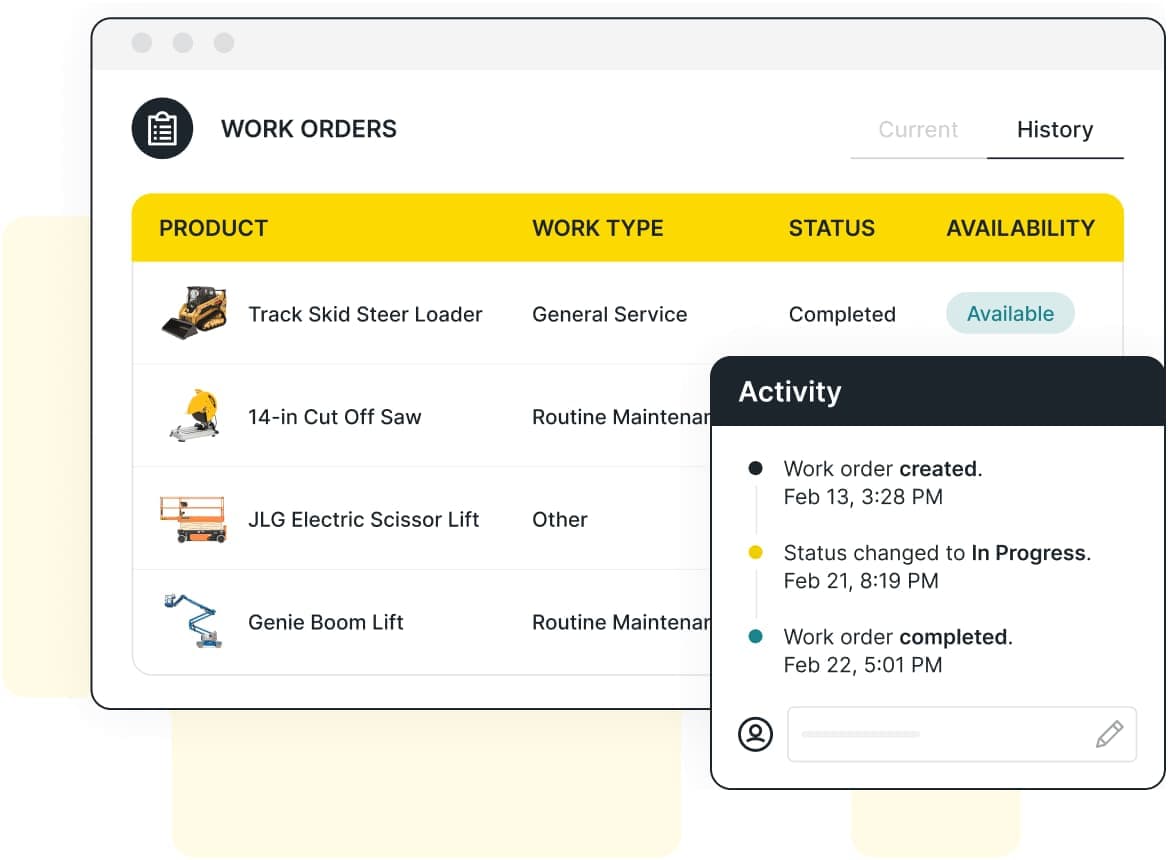
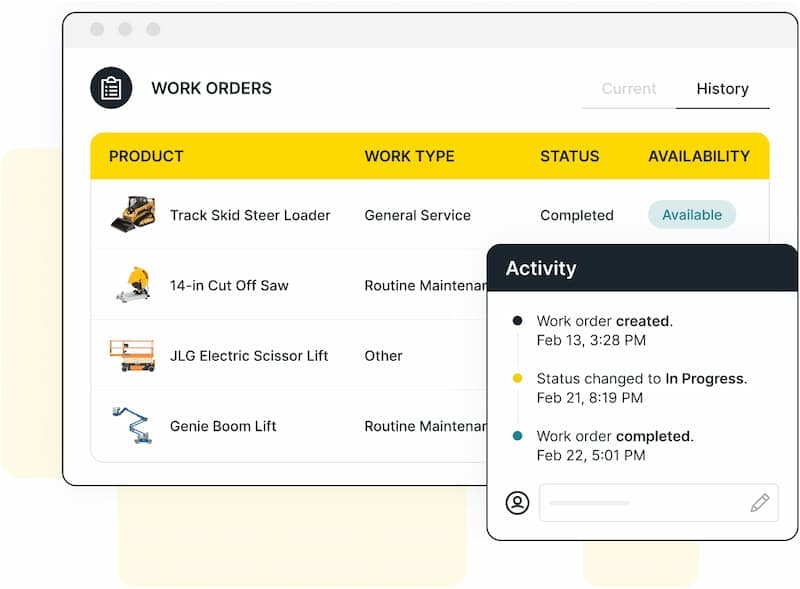

How Quipli’s Service & Repair Tracking Features Work
Quipli’s service and repair module empowers you to track the maintenance and repair process for each rental unit from start to finish.
Create new work orders, designate the type of repair each unit is undergoing, and specify important work order details – including detailed readings for machine hours, letting you track how many hours come from your own team versus your customers.
With Quipli, managing work orders has never been easier.
Streamline service & repair management with Quipli
View current status and repair history for any equipment in your fleet
Add details to break down machine hours
Manage each unit individually, and see its status at a glance
Manage invoicing for repairs
Create and manage new work orders
Track repair and maintenance costs
Track the location of each unit
Upload important documents and photos for each work order
A fully-integrated service & repair management system for your rental equipment
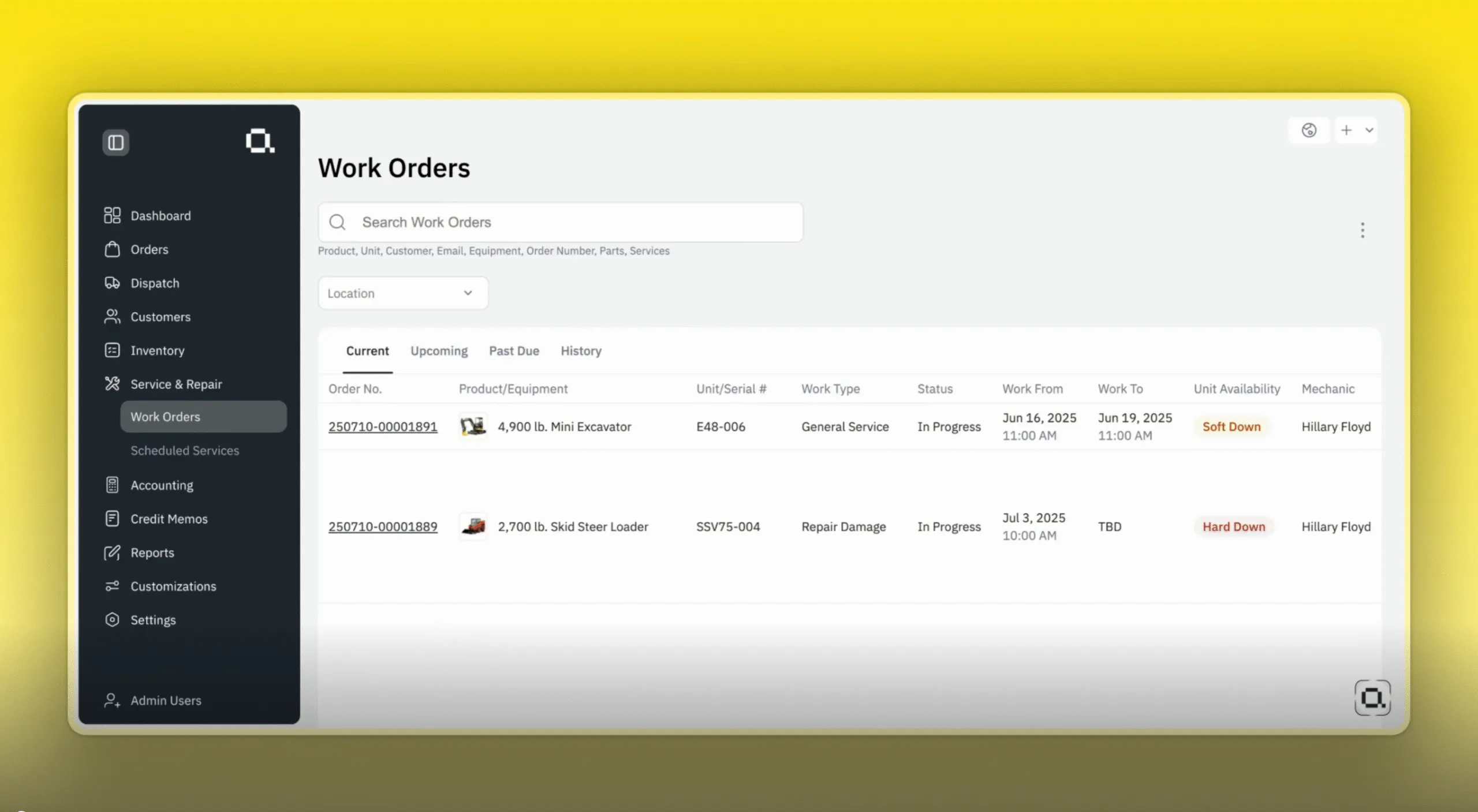
Distinguish between soft down and hard down for each work order
In Quipli’s service and repair interface, you can select from “soft down” or “hard down” for each work order, helping you better differentiate which units might be able to go on rent, and which have serious damage and won’t be available for a while.Designate the type of repair for each work order
You can select from “Routine Maintenance,” “Repair Damage,” “Waiting for Parts,” “General Service,” “Annual Inspection,” or “Other,” making it easier to track and monitor specific details for each piece of equipment.View a detailed breakdown of hour readings for your equipment
View each machine’s total lifetime hours, including which hours were incurred by your own team, versus which were associated with revenue-generating customer rentals.Track each work order’s progress over time
You can assign a time period to each work order, and view its progress. The machine will show in Quipli’s software as under maintenance or repairs throughout the time slot that you select, preventing it from being booked by a customer when it isn’t available.View the last invoice number associated with a damaged piece of equipment
Quipli allows you to go back and view the invoice number for the last invoice associated with a piece of equipment that needs repairs, so that you can charge that customer for incurring damage to the machine.View each unit’s work order history and current status
You can pull up any Unit ID to view that piece of equipment’s work order history. You can also view its current rental status, view a full timeline of the unit’s overall rental and work order history, and see its total machine hours.Specify each unit’s location
For each piece of equipment, you can track and specify its current location – whether it’s in transport, in a shop for repairs, in storage, or on rent.Prefer to see your data in Excel? No problem – export it in a click
Quipli makes it easy to automatically export work order information to Excel.See service and repair in action
Quipli Service & Repair FAQ
Yes. Whenever you create a new work order in Quipli, you’ll be able to flag it as either “soft down” or “hard down,” and designate which type of maintenance or repair the equipment is undergoing.
Quipli lets you view any unit’s total work order history, as well as a breakdown of its total machine hours – including which hours are associated with your team, or with repairs, versus which machine hours were incurred through revenue-generating customer rentals.
Yes. With Quipli, you can add each unit’s current location for more precise tracking.
You can pull up the unit’s rental history to find out the last invoice number that was associated with its most recent customer rental, showing you who it was that was responsible for the damage.
From there, you’ll be able to create a repair invoice through Quipli’s payment and billing features, which you can send to the customer.
Our developers are currently working on a new feature that will let you generate repair invoices for customers automatically. Keep an eye out later this year for its debut.
Trusted by equipment rental leaders across the US and Canada, big and small.

We ran trials with multiple software vendors side-by-side for several months, and there was no comparison to Quipli’s pace of development and customer support. Quipli listens to our needs regularly and shows an excitement to develop requested features. The crew at Quipli has made Arapahoe Rental feel like a partnership and not just another customer.
Evan M.
Arapahoe Rental

Quipli is a very easy team to work with and a very rare type of business that really works with you to help you succeed and set up the platform. If you like having options on how your platform works and like to have things customized without having options hidden from you, this is the platform to go with.” Chose Quipli after comparing it to Booqable, EZRentOut, and Rentle (according to Capterra).
Brandon H.
Everything Rental
Top notch people. Their customer service is hands down the best. Software is easy to use, and user friendly. Easy to navigate and make adjustments to fit your business. They are constantly adding new features and best of all - they listen to customer feedback for what they do next.
Brandon G.
Equipped Rentals

My overall experience has been amazing. I am able to accept orders 24/7. I love that it’s cloud based. This allows us to accept orders on the fly.
Audra T.
Comic Rentals
We use Quipli for our small, family owned equipment rental business. Through Quipli we are able to enter, track, and rent equipment to customers with ease. The Quipli team is also phenomenal to work with! If it is a big issue they will call or set up one-on-one Zoom meeting to discuss a solution to the problem!
Brittany C.
J Creek Equipment Rental
Very easy page to navigate for the end user. Customer service is top notch with attention given to the specific needs of my company. QUIPLI is the one stop shop for our online rental needs from inception, design and ongoing maintenance.
Susan M.
Toy Box Rental
I didn't expect a response to a non-emergent question over the weekend but the response was quick and gave clear instructions on how to fix my concern. Love working with the Quipli team!
Lacey Gotshall
Sandhills Rents LLC
The fast response is much appreciated, and even better when they take it a step further and help find a solution :)
Kerryn King
Magnolia Trailer Rentals
Annika is simply put an asset of unseen potential that I am blessed to have on my support team. There are no words for being able to work with someone who makes you feel like you can just sit back and relax because she has got it covered. 👍
Paul Sanders
Magnolia Trailer Rentals
Court has been amazing to work with and help me through my start up growing pains. Thanks.
Paul Sanders
Magnolia Trailer Rentals
Renting equipment is about to get a whole lot easier

I. Answer a few quick questions on your business. It takes 2 minutes, tops.

II. Our team will reach out immediately to take you through a demo of Quipli.

III. Once you’re up and running with Quipli you’ll wonder how you ever managed without it.